Import listings from Vitec, Visma Megler and Webmegler
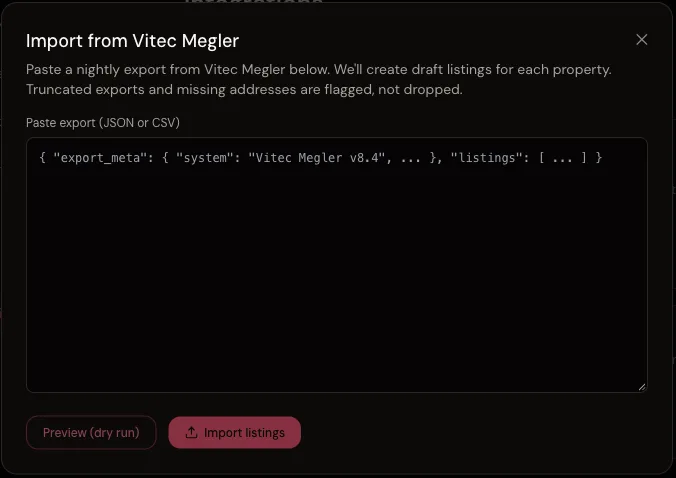
ShotVista imports listings from Vitec Megler, Visma Megler and Webmegler export files. You paste the export (JSON for Vitec, JSON or CSV for Visma and Webmegler) and ShotVista creates draft listings with the address, so you can upload and edit photos for them. It is a file import, not a live connection.
- Who it is for
- Photographers in Norway who shoot for brokerages that run Vitec Megler, Visma Megler or Webmegler.
- Plan
- Available on every plan.
What it does
- Create draft listings from the rows in an export file.
- Read the address, postcode, city, external ID, status and seller from Norwegian or English column names (for example adresse, postnummer, poststed, oppdragsnr).
- Detect the delimiter of CSV files automatically (semicolon, comma, tab or pipe).
- Skip rows that were already imported, matched on the external ID, so the same file can be imported twice.
- Run a dry run that shows what would be created before anything is saved.
When it runs
- You start an import manually. Nothing runs on a schedule.
Set it up
- Export the active listings from your broker system, or ask the brokerage for the export file.
- Open Settings, Integrations in the ShotVista dashboard and choose Vitec Megler, Visma Megler or Webmegler.
- Paste the contents of the export file and run the import as a dry run first.
- Check the result list (created, skipped and why), then run the import for real.
Example
A Webmegler CSV with the columns oppdragsnr;adresse;postnummer;poststed and 12 rows creates 12 draft listings. A row without an address is listed as skipped with the reason, and importing the same file again creates nothing new.
Limits
- No live sync: new or changed listings in the broker system need a new export.
- Photos are not sent back to the broker system; deliver them through the ShotVista delivery page.
- Rows without an address are skipped.
- FINN.no has no export feed, so FINN.no import is not available.
Troubleshooting
- The import says the Vitec export was truncated.
- The file was cut off. ShotVista recovers the complete listings before the cut and reports how many; export the file again to get the rest.
- My CSV imports with empty addresses.
- The address column has a name ShotVista does not recognise. Rename it to adresse or address and import again.
- Nothing was created.
- Either every row was already imported (matched on the external ID), or the file is not valid JSON or CSV. The result list shows which.
Checked against the product in October 2026. Questions: [email protected].
Questions
- Is there an API connection to Vitec?
- No. These systems do not offer an API ShotVista can connect to today, so the import works from export files.
- Can I import from FINN.no?
- No. FINN.no does not publish an export feed, so use the brokerage’s Vitec, Visma or Webmegler export instead.
Try ShotVista on one of your photos
New accounts get 2 free credits, enough for one photo in 4K. No card required.
Try 1 photo free